Your Notebook Isn’t a Password Policy
July 20, 2026
Your Store’s Passwords Belong in a Vault, Not a Notebook or a Browser
Every Ace Hardware store requires lots of logins. Your point-of-sale system, AceNet, your payment processor, your vendor accounts, your email, even your security cameras all sit behind a password. Cybercriminals know this, and stolen or guessed credentials remain one of their favorite ways into a small business.
The 2026 Verizon Data Breach Investigations Report (DBIR) found that stolen or abused credentials were the initial way attackers got in for 13% of confirmed small and medium-sized business (SMB) breaches and 14% of confirmed retail breaches. Once attackers were inside, credentials were also among the data they walked away with in 31% of SMB breaches and 26% of retail breaches.1
The cost of getting this wrong is real and immediate for a business your size. A companion analysis published alongside the DBIR, the 2026 Breach Impact Study,2 found that the median financial impact of a cyber incident for businesses with under $25 million in annual revenue, which describes most independent Ace stores, was approximately $38,000. In the most severe cases, the top 2.5%, losses reached more than 7% of the business’s total annual revenue.
A password manager solves the weak link at the center of most of these incidents. But not every “solution” store owners already use actually solves it. Here is why two of the most common ones fall short, and what a purpose-built vault gets you instead.
#1 – The Notebook in Your Pocket is a Liability
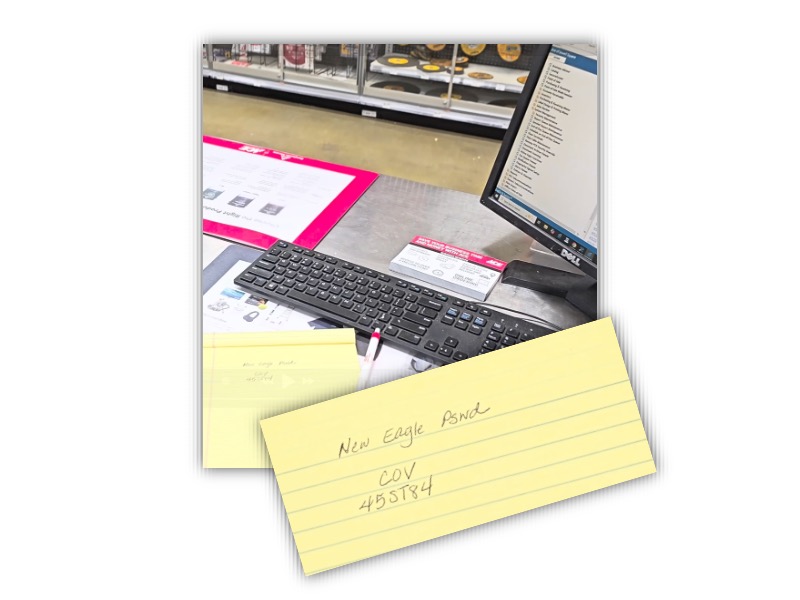
Many store leaders keep a notebook in their pocket or in the back office with the Wi-Fi password, POS login, safe combination, and other sensitive information written down. It feels simple, but it creates three problems at once. It is physically exposed to anyone if left lying around or in a vest pocket at the end of the shift. It has no expiration, so when an employee leaves, their access to every password they ever saw stays valid until someone manually changes each one, and in a busy store that rarely happens consistently. And it gives you no record of who used which password or when, so if something goes wrong there is no way to trace it back.
#2 – Your Browser’s “Remember Password” Feature was Built for One Person, Not the Whole Shift
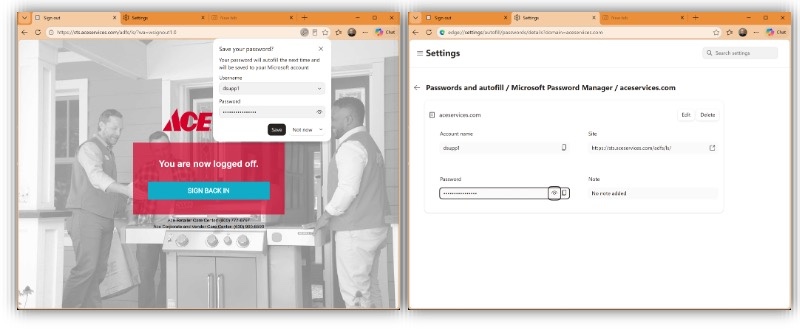
Standard browser password management assumes one person, one device. That is not how a retail store runs. POS terminals, back-office computers, and shared Zebras are used by various cashiers, associates, and managers across every shift, often logged into a single generic Android, Windows, or browser profile. On a shared device, “remember password” is really a shared password. Every saved login autofills for whoever is at the keyboard, whether that is your longest-tenured manager or a seasonal hire on day one, with no way to let someone use a password without also handing them the ability to see it, copy it, or pass it along.
There is no permission tier, so you cannot say “this cashier can log into the cash count desk computer but should never see the QuickBooks Online credentials.” And there is no clean way to revoke access either. When someone is let go, their access to every password saved on every device they ever touched does not disappear on its own. Someone has to go device by device and delete it, and in practice that rarely happens across every register and back-office PC in the store. Saved browser passwords are also an increasingly common target for “infostealer” malware built specifically to harvest browser-saved credentials in bulk, which is one more reason a password sitting in a browser is not as safe as it feels.
The Right Password Vault is Built for Teams, Not Individuals
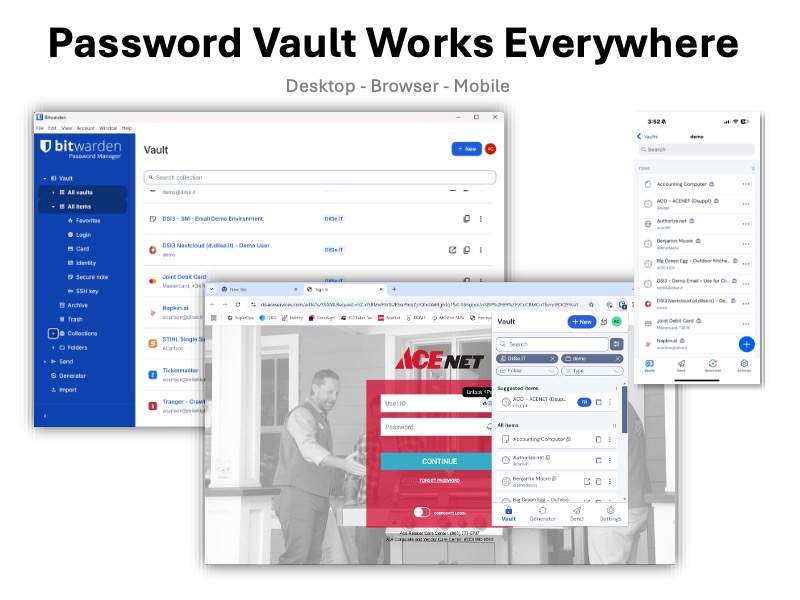
DilSe.IT Hosted Business Services (HBS) Password Vault, powered by Bitwarden, the most trusted open-source password manager, solves both problems at once. It is deployed securely on the DilSe.IT cloud and dedicated exclusively to your organization, and it manages multi-factor authentication in the same app, so employees have one simple place for both. Because it is built for business rather than individuals, you can organize credentials into shared Collections with granular permissions, so an employee can be given a password to use without ever being able to see it, solving the exact accountability and revocation problems a notebook or a browser cannot.
No More Calling for a One-Time Code
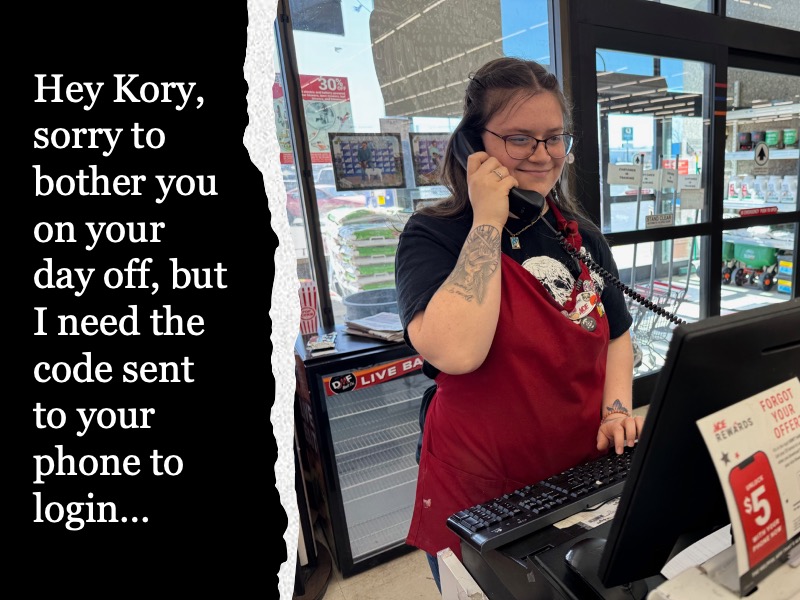
Multi-factor authentication is one of the single best things a store can do to protect a login, but in most stores it is tied to one person’s cell phone. Whoever’s number is on file gets the text message or app prompt with the verification code, so everyone else has to track that person down to get in. That works fine until the owner is on vacation, in a meeting, or just doesn’t pick up, and suddenly a manager is locked out of a system the store needs right now.
Password Vault stores the verification code generator inside the same Collection as the login itself, right next to the username and password. Anyone with permission to use that account can open the vault and pull up the current code directly, no phone call to the owner, no waiting on a text message, and no single point of failure if that one person is unreachable. You get the full protection of a second authentication factor on every shared login, without making one person’s phone the bottleneck for the whole store.
Key Password Vault Features Include:
- Auto-fill everywhere on desktop, mobile, and in your browser, for login credentials, payment card details, and more
- Secure Send, which shares sensitive information through an expiring, password-protected link instead of a text message or email
- Password health reports that flag weak, reused, or breached logins before they become a problem
Every password stored in the vault is encrypted both at rest and while it travels across the internet, meeting the same privacy and security standards used by banks, hospitals, and major retailers, at a fraction of the cost of comparable business tools.
Setup, Support, and Training are Included
DilSe.IT deploys Password Vault as a fully managed service. We provision your vault, apply an Ace Template, organize Collections and Groups to your needs, help you install the apps on every device, and handle secure off-boarding when staff depart, which is the one step a notebook or a browser can never do for you automatically.
Visit dilse.it/ace-retailer to learn more!
12026 Verizon Data Breach Investigations Report (DBIR), 19th edition, dataset November 2024 through October 2025, more than 22,000 confirmed data breaches analyzed across 145 countries. Published May 19, 2026. SMB and Retail industry breakout sections.
22026 Breach Impact Study, Verizon Business in partnership with CyberAcuView, based on approximately 70,000 U.S. cyber insurance claims with losses recorded from January 2019 through October 2025. Published June 16, 2026. SMB segment defined as annual revenue under $25 million.